Complete practical guide
How to Download Facebook Videos and Reels
Use this guide to download public Facebook videos and Reels on a phone or computer. Paste a public share link, review the formats provided by the original post, and save the available MP4 or audio option. The browser process needs no Facebook password, account registration, app, or extension. Private posts, friends-only videos, closed groups, DRM streams, and live broadcasts remain inaccessible.
How Browser-Based Facebook Video Downloading Works
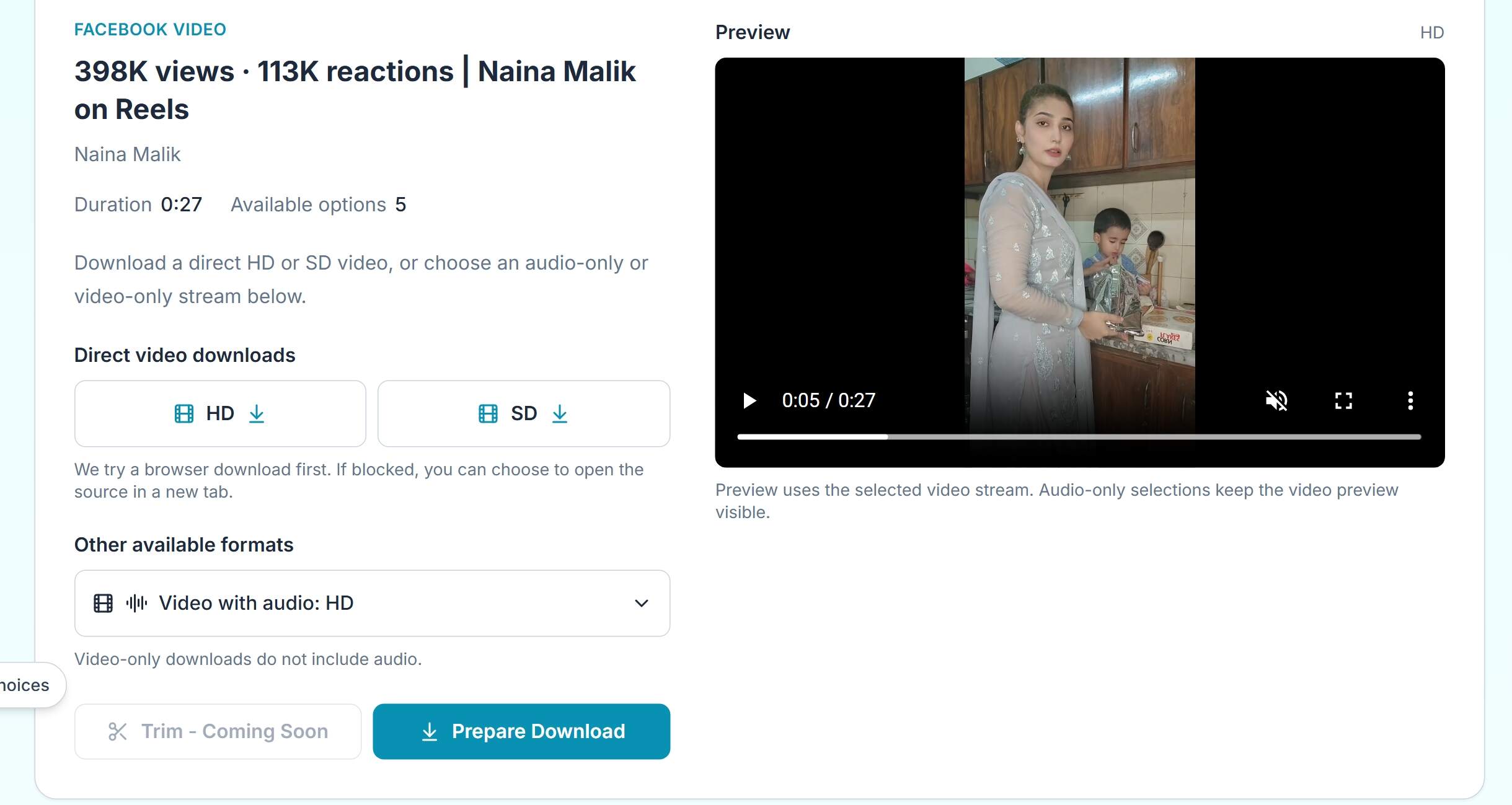
A Facebook video downloader first reads a public share URL. It identifies the post, checks which media streams Facebook exposes, and presents available formats in a preview or result panel. It does not create access that Facebook has withheld.
Facebook may separate a video into visual and audio streams or provide a combined MP4 media container. The browser requests those source-provided streams only. It cannot remove a creator watermark, unlock a friends-only post, decode DRM, or add detail that was never uploaded.
Temporary CDN URLs are often replaced as sessions or source links expire. A fresh public link lets the service perform a fresh source check. Available resolution, bitrate, and codec all come from the original upload. Facebook does not guarantee that every post offers HD, 1080p, or audio-only output.
No login required
How to Download on Desktop
These steps work in Chrome, Edge, Firefox, Brave, and current Safari releases on Windows, macOS, or Linux.
- Open the public post. Open the Facebook Watch page, Feed post, or Reel in a standard browser.
- Copy a clean share URL. Choose Share or the three-dot menu, then Copy link. Remove tracking text only if it changes the public share address.
- Open the downloader. Go to facebookdownloader.net, paste the URL into the input, and activate the download check.
- Verify the preview. Confirm the post title or thumbnail, then inspect the available formats and quality labels.
- Choose and save. Select the offered MP4 or source format. Approve your browser download prompt and choose a Downloads folder location.
If the browser opens a preview in a new tab instead of saving, use the tab menu to choose Download or Save. Some browsers block automatic transfers, especially after pop-up blocking is enabled.
Save Facebook Reels on iPhone, iPad, and Android
iPhone or iPad with Safari
- Open Facebook in Safari and choose Share, then Copy link for the public Reel or video.
- Open Facebook Downloader, paste the URL, and tap the download action.
- Allow Safari to download the file. When iOS asks for a location, choose Files.
- In Files, open the Downloads folder and review the file name and size.
- Tap Share in Files, then Save Video or Save to Photos to copy compatible videos to the Camera Roll.
Android with Chrome
- Open Facebook, tap Share, and copy the public link.
- In Chrome, open Facebook Downloader and paste the URL.
- Choose an available format and approve the download permission if Chrome asks.
- Use the completed download notification or open Files and choose Downloads.
- Move the file to a named folder if you need to organize or share it offline.
Mobile transfer check
Video Formats, Resolutions, and Audio Streams
Labels describe the options Facebook exposed at processing time. They do not guarantee that every post contains every version.
| Format | Typical quality | Audio | Best use |
|---|---|---|---|
| HD MP4 | 720p or 1080p | Usually combined | Viewing on phone or larger screen |
| SD MP4 | Often 360p or 480p | Usually combined | Low storage and quicker transfers |
| Video-only stream | Source resolution | No | Editing or replacing the audio track |
| Audio-only stream | N/A | Yes | Speech, music, or permitted extraction |
A downloader cannot turn an SD upload into true Full HD. Upscaling may add pixels, but it cannot recover textures or fine detail that Facebook and the original creator never supplied. Keep the original source file for professional editing, when you are the creator or have permission.
Troubleshooting Common Facebook Download Issues
Private or friends-only post: The public tool cannot bypass access settings. Ask the owner for permission or request a direct copy from an account that owns or controls the post.
Expired temporary source link: Copy the original Facebook share URL again and submit a fresh request. Do not retry the same CDN URL after the browser reports a missing or expired file.
Browser blocks the transfer: Check whether Downloads are blocked, allow the current site to open pop-ups, or choose Open in new tab and use the browser Save command.
Live stream is unfinished: Wait until broadcasting and processing finish. Public replay availability is required, and the replay may take time to appear.
Age or region restriction: The public check may be unavailable in your country or for your browser context. The service does not bypass these controls.
Rate limit per browser session: Wait before another batch of requests. Avoid rapidly submitting the same URL or multiple automations.
Corrupted or incomplete transfer: Confirm the file size, leave the browser open until the notification reports completion, and try another storage location with sufficient free space.
For errors that repeat on multiple public links, visit Contact or return to the Facebook Downloader. Include the browser, device, and error message, never your Facebook password or login cookies.
Managing Cross-Platform Public Clips Responsibly
Creators and ordinary users should organize saved clips in folders with the original URL, publication date, creator name, and permission status. Separate personal backups from files approved for public reposting.
Keep watermarks unchanged unless you have explicit permission to edit or distribute a derivative. Preserve the original when performing technical backups so you do not lose the highest quality copy.
When archiving your own permitted clips across Meta platforms, use a dedicated workflow for each source. The Instagram Downloader supports public Instagram content through a separate no-login browser workflow.
Copyright, Creator Rights, and Responsible Personal Use
Public visibility is not a copyright license. It means the post is visible, but it does not transfer ownership or allow commercial use, duplication, or redistribution. Before reposting, ask whether the creator holds the rights and whether all music or footage is cleared.
Facebook Downloader does not add or remove creator watermarks. Leaving attribution visible helps viewers identify the source. A watermark should not be removed or hidden merely to make a clip appear independent.
Lawful personal archiving can include saving a copy you own or are allowed to keep for offline viewing. Unauthorized redistribution, monetization, impersonation, or reposting without permission is not legitimate personal use. Review the DMCA policy and Terms before saving or publishing a copy.
Before reposting
Privacy, Account Security, and Password Safety
A legitimate public-link downloader should not ask for a Facebook password, two-factor code, session cookie, account access, or browser password manager entry. These credentials can let an attacker control a social account or impersonate the owner.
Apps and extensions that request login access may collect account activity beyond the posted video. Avoid tools that promise private post access or automatic DRM bypass. Those claims are unsafe and typically impossible without violating account controls.
Facebook Downloader is designed to operate from public URLs without account credentials and without an extension. Review the Privacy Policy for submitted URL and browser data handling, and About Us for a plain-language explanation of the service.
Frequently Asked Questions
Can I download a public Facebook video?
Yes, if the post is publicly accessible and the original source exposes a downloadable stream. Open the public post, copy its share link, and paste it into the downloader. A successful check does not grant copyright permission.
Can I save a Facebook Reel without login?
Yes. Copy the public Reel URL and use a browser-based downloader without logging in. Available results depend on the Reel source, and private or region-limited Reels may remain unavailable.
Do I need to install an app or extension?
No. The normal workflow uses a modern browser and the public webpage. Extensions, password-protected apps, and tools requesting Facebook session cookies are unnecessary and may create security risks.
How do I copy the Facebook video share link?
On desktop, open the post, select the share or three-dot menu, and choose Copy link. On mobile, use the Share button or link icon. Use the public URL rather than your News Feed address.
What MP4 quality is available?
Quality can include SD, 720p HD, or 1080p Full HD when Facebook supplied those streams. A combined MP4 with audio is preferred when it is offered. SD saves storage; HD offers more detail.
Why does my Facebook video download have no sound?
A video-only stream may have been selected. Check the format list and choose a combined audio and video option. If only separate tracks are available, use editing software to combine permitted tracks.
Can Facebook detect or notify me about downloads?
Facebook provides no standard notification for a public download action. Independent analytics or third-party platforms can still receive browser data, so use public links responsibly and review the site Privacy Policy.
Can I use this for a downloaded Facebook Live replay?
A replay can appear after the live stream ends and Facebook finishes processing. If the replay remains public and exposes a source stream, it may be available. Ongoing, private, or restricted live streams are not supported.
Is the original Facebook video changed by the downloader?
The downloader should not change the video during format selection. It may prepare a source stream or container, but it does not add resolution, remove watermarks, or bypass copy protection. Encoding differences can occur during a conversion.
What should I do if the link always fails?
Confirm that the post is public and that you copied a complete share URL. Ask Facebook to load the post again, wait if it is newly published, then resubmit the link. If repeated public links fail, contact support with your browser and error code, not your password.
Ready to save a public Facebook post?
Verify the source, choose an available format, and download in your browser.
Open Facebook Downloader